Table of Contents
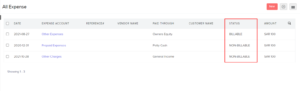
Expenses in Erpisto can be assigned to one of several statuses. They can also be sorted, filtered, and exported based on a variety of parameters.
Status of an Expense #
An expense in Erpisto can have any one of the following statuses.
| Status | Description |
|---|---|
| Non-Billable | The expense cannot be added to invoices you create for your customers. |
| Unbilled | The expense has been marked billable for a customer but has not been added or billed in an invoice yet. |
| Invoiced | The expense has been added or billed in an invoice. |
| Reimbursed | The expense has been successfully reimbursed by the user. |