Table of Contents
The Purchase Orders that you record for your vendors can be filtered and sorted in many ways.
Status of Purchase Order #
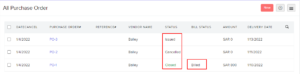
A Purchase Order in Erpisto can have any one of the following statuses.
| Status | Description |
|---|---|
| Draft | Purchase orders when created will be in the Draft status. |
| Issued | Purchase orders once sent to the vendor, will be in the Issued status. |
| Closed | Purchase orders once accepted by a vendor can be converted to a bill and the status will be Closed. |
| Cancelled | If the vendor rejects your purchase order, the order can be cancelled and the status will be Cancelled. |
| Billed | Once the purchase order is converted to a bill, the status will be Billed. |
Refresh List #
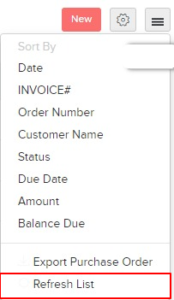
You can refresh the list of your purchase orders. Here’s how:
- Go to Purchases > Purchase Orders.
- Click the Hamburger icon in the top right corner of the page.
- Click Refresh List.